

Introduction
In 2026, the biggest difference between workplace platforms isn’t just storage or email; it’s artificial intelligence. From writing emails and summarizing meetings to creating documents and organizing workflows, AI is reshaping how businesses operate.
If you are comparing Google Workspace and Zoho Workplace, it’s important to look beyond pricing and understand which platform will support your business in the years ahead.
The tools you choose today can influence how efficiently your business grows tomorrow because email has quietly become the backbone of modern work.
| Google Workspace | Zoho Workplace |
| Google’s cloud-based productivity suite that combines Gmail, Drive, Docs, Sheets, Slides, Meet, Calendar, and Gemini AI into a single platform. | Zoho’s integrated workplace suite that includes Zoho Mail, Writer, Sheet, Show, WorkDrive, Meeting, and Cliq for business communication and collaboration. |
| Best suited for businesses that prioritize real-time collaboration, scalability, and AI-powered productivity. | Best suited for businesses looking for an affordable productivity suite, especially those already using Zoho’s ecosystem. |
Google Workspace vs Zoho Workplace: A Feature-by-Feature Comparison
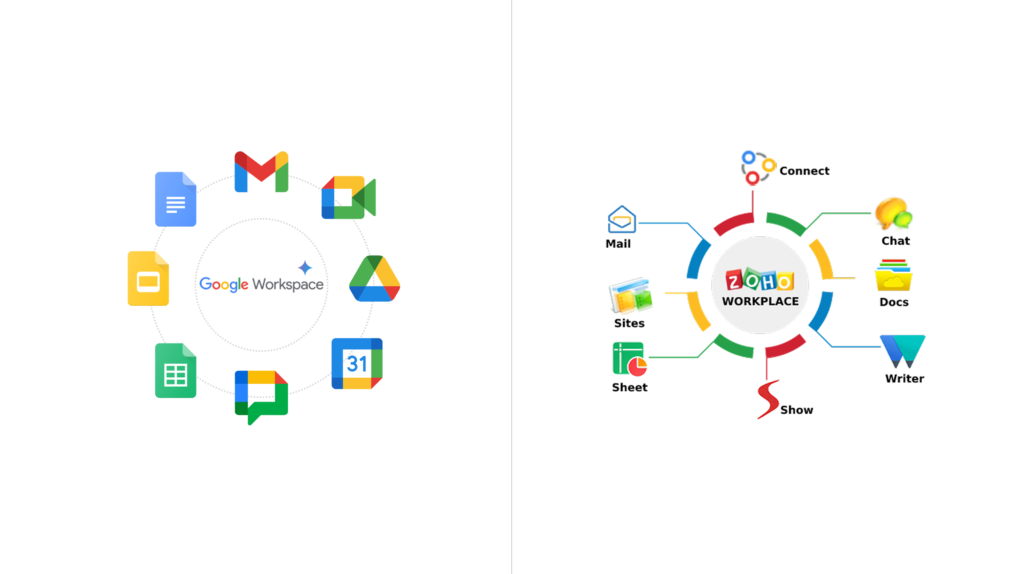
Now that we’ve looked at what each platform offers, let’s compare them across the features that matter most to businesses in 2026. From user experience and collaboration to AI capabilities, security, and pricing, here’s how Google Workspace and Zoho Workplace stack up.
User Experience
One of the most recognizable user interfaces in the software sector is provided by Google Workspace. Employees who have previously used Gmail require almost no training.
On the other hand, Zoho Workplace has a user-friendly UI that operates as an independent ecosystem, which could pose an obstacle to learning for new users.
Collaboration
Zoho Workplace offers collaborative editing across its productivity applications, allowing teams to work together on documents, share feedback, and manage projects from a single platform. It is well-suited for small to medium-sized businesses looking for an integrated and cost-effective collaboration solution.
Google Workspace, however, takes collaboration a step further with real-time co-editing, instant commenting, suggestion mode, and seamless synchronization across Docs, Sheets, Slides, and Drive. Multiple users can work on the same file simultaneously without version conflicts, making it particularly effective for larger, remote, or fast-moving teams.
AI Capabilities in 2026

One of the most important considerations when choosing a workplace platform is artificial intelligence. Zoho Workplace includes Zia AI, which helps automate routine tasks, provide intelligent business insights and enhance productivity across various Zoho applications.
Gemini AI, on the other hand, is integrated across Meet, Docs, Sheets, Gmail, and other Workspace applications, helping users draft emails, summarize meetings, generate documents, create spreadsheets, analyze data, improve writing, and brainstorm ideas all directly within their workflow.
Storage
Teams may store, view, and share files from any location using the secure cloud storage offered by Google Workspace and Zoho Workplace. Google Workspace offers scalable cloud storage integrated across Gmail, Google Drive, Google Photos, and Shared Drives, making collaboration seamless across teams.
WorkDrive is a feature of Zoho Workplace that enables secure file sharing, centralized document management, and team communication. Depending on the plan chosen, storage options are available.
Both platforms help businesses improve file accessibility, simplify collaboration, and ensure data is securely stored in the cloud.
Security
Zoho Workplace and Google Workspace both provide corporate-level security features, such as:
Two-factor verification
Protection against malware and spam
Administrator controls for encryption
Management of users
In higher-tier plans, Google Workspace delivers extensive threat protection capabilities and makes use of Google’s worldwide security infrastructure.
Zoho Workplace provides robust security and privacy features, with advanced administrative controls and security options available across its business plans.
Which Companies Should Use Google Workspace?
Google Workspace is perfect for:
Expanding startups
SMEs Businesses
Teams working remotely
Hybrid workplaces
Companies that rely significantly on cooperation
Businesses implementing AI-powered productivity
Which Companies Should Use Zoho Workplace?
Zoho Workplace is an excellent option for:
Budget-conscious companies
Businesses that now use Zoho CRM or other Zoho apps
Small groups with minimal needs for cooperation
Businesses looking for a comprehensive Zoho environment
Conclusion
The best option will depend on your priorities, although both systems are capable commercial productivity tools.
Zoho Workplace provides good value if your company already uses the Zoho ecosystem and pricing is your top priority.
Google Workspace stands out for businesses that require seamless collaboration, AI-powered productivity, and a broad ecosystem of integrations to support growing teams.
Investing in the appropriate collaboration platform now can enhance communication, optimize workflows, and facilitate future growth for companies anticipating long-term growth and digital transformation.